Construction Intelligence Platform
Built for utility operators
Cloud SaaS
AI-assisted workflows
The operating system for utility infrastructure deployment.
CommandPoint connects field operations, project management, workforce, financial performance, and customer reporting into a single platform built for utility contractors and infrastructure operators.
- One platform for operational execution and executive visibility
- Designed for field-heavy utility and telecom workflows
- AI-assisted reporting, alerts, document intake, and project intelligence
From executive dashboards to engineering workspaces, CommandPoint keeps the whole job connected.
Built around how PMO, engineering, construction, and finance teams actually move work every day.
Email intelligence, assistant actions, and workflow changes stay reviewable before records update.
CommandPoint Field
The office assigns the work. The field closes the loop.
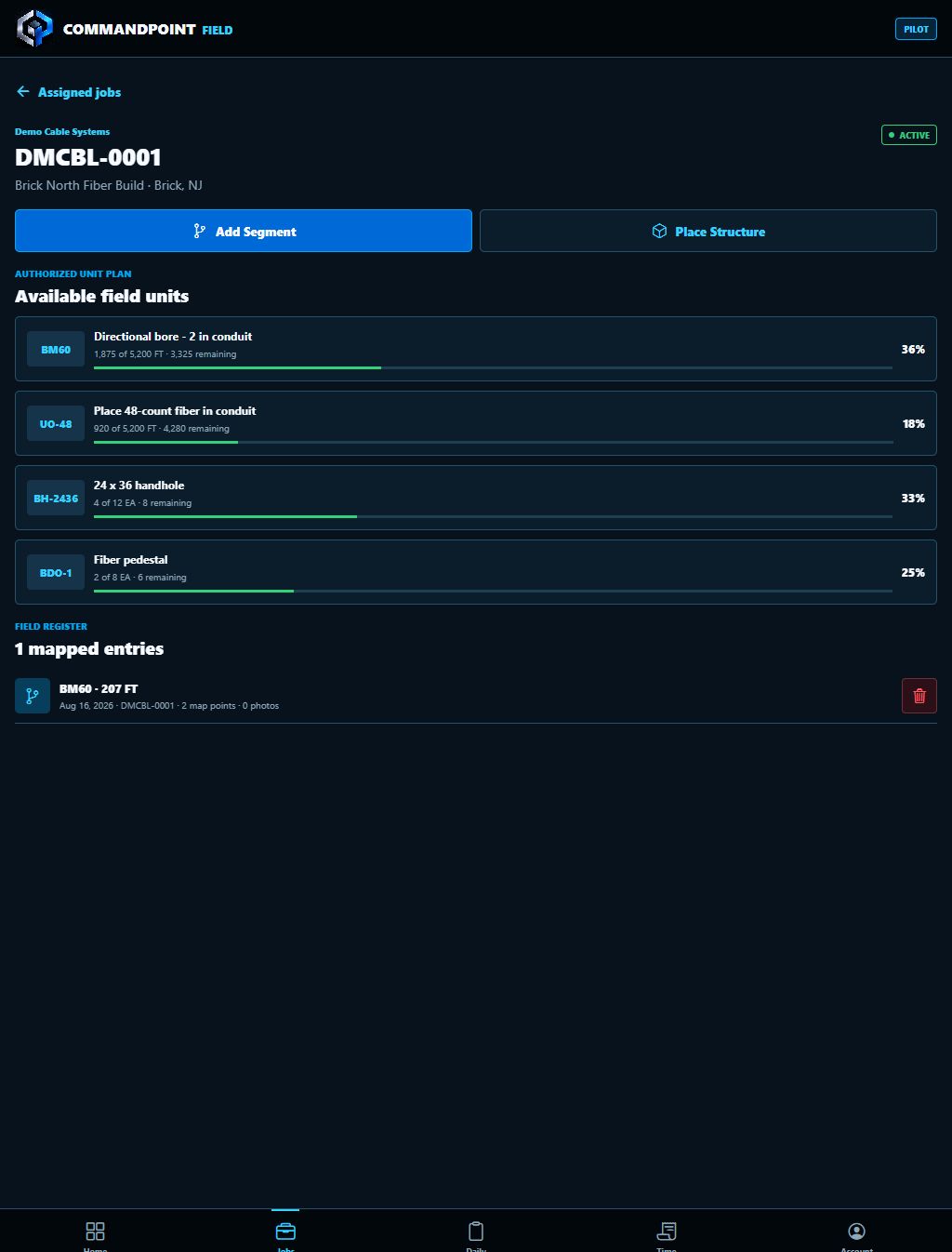
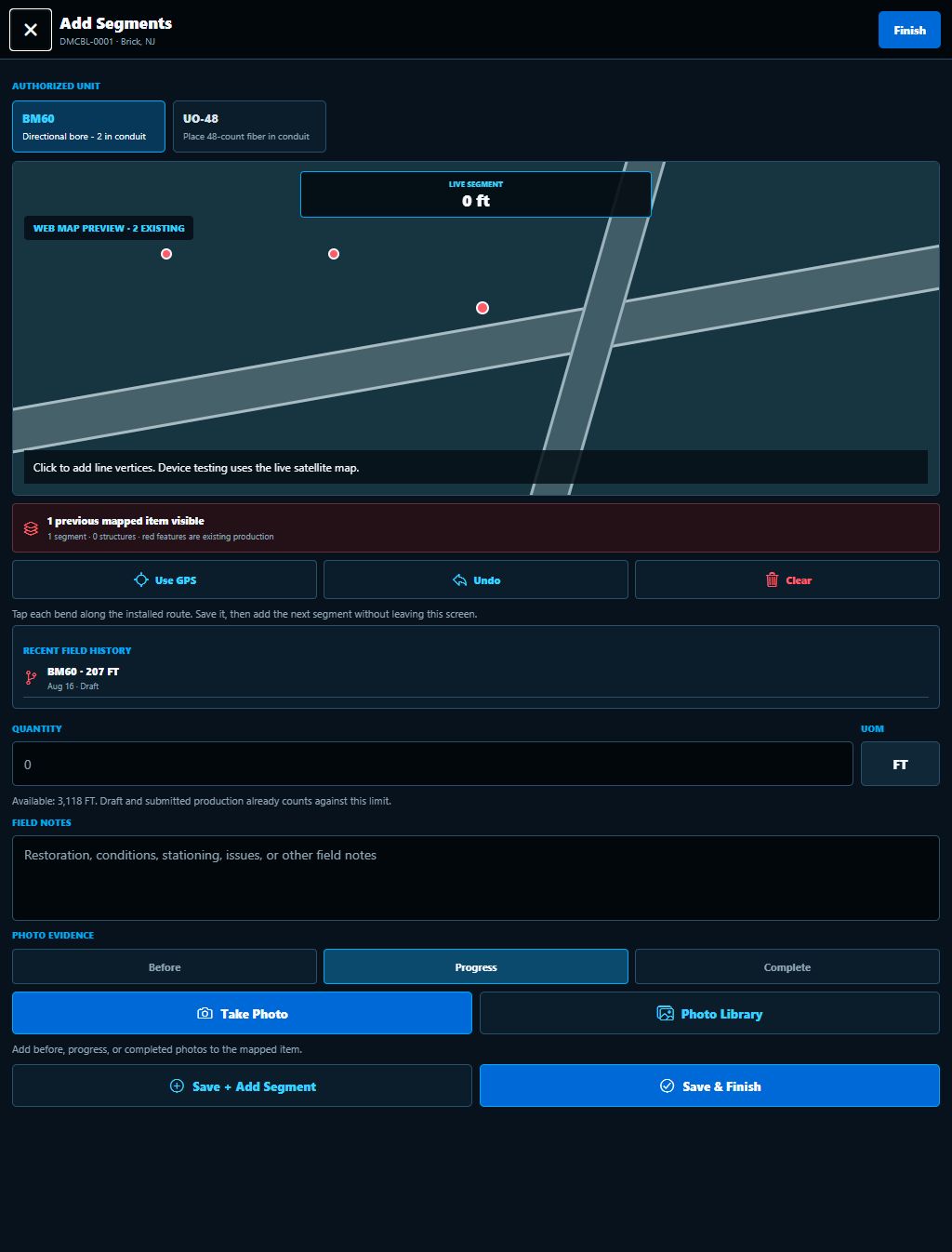
Give internal crews and approved partners a focused mobile workspace for assigned jobs, authorized units, mapped production, structures, notes, and photo evidence. Every field entry stays connected to the project record inside CommandPoint.
Assigned work only
GIS production capture
Daily closeout
Photo evidence
Explore CommandPoint Field
One Connected Workflow
From assignment to approved production.
Assign
PMO assigns the project, authorized units, crew, and partner scope.
Capture
The crew maps bore, trench, plow, aerial, fiber, handholes, pedestals, and other completed work.
Review
Office teams review quantities, location, notes, and evidence against the project plan.
Close
Approved production supports redlines, reporting, forecasting, and billing readiness.
The Problem
Massive infrastructure programs are still being run on disconnected tools.
The industry is in a major build cycle, but most delivery teams still manage planning, production, billing, partners, and customer visibility through spreadsheets, inboxes, texts, and shared drives.
Still Managed With
What That Creates
Why CommandPoint
No utility-specific platform exists for the full operational lifecycle.
CommandPoint was built to become the shared system of record across PMO, engineering, construction, materials, fleet, finance, and executive reporting.
Platform Modules
A full operating stack, not another isolated tool.
CommandPoint is built to connect the people who win work, engineer it, build it, bill it, and report it.
Run schedules, portfolio health, milestones, earned revenue, and operational alerts.
Drive permit discovery, AI HLD studies, pole loading, and make-ready analysis.
Track production, locate tickets, forecasts, GIS progress, and field execution.
Manage invoice readiness, billing workflows, vendor invoice intake, and financial control.
Keep stock, assets, suppliers, vendors, and compliance connected to delivery.
Organize employee records, company structure, time, expenses, approvals, and workforce access.
Move from pursuit to award to delivery while keeping leadership ahead of risk.
Why Now
Three market forces are converging at once.
Massive grid investment
Public and private capital is flooding into grid and utility buildout at record scale.
Infrastructure modernization
Aging utility and telecom systems are being rebuilt, hardened, and expanded across North America.
Electrification and data demand
EV growth, data centers, broadband expansion, and load growth are accelerating deployment complexity.
Why Teams Care
Less swivel-chair work. Better accountability. Faster decisions.
Operational Teams
- One place for jobs, documents, milestones, and production
- Project-aware AI assistance instead of disconnected notes
- Role-based access across PMO, engineering, construction, and finance
Executives
- Live visibility into active work, delivery risk, partner performance, and billing readiness
- Clear reporting without waiting on stitched spreadsheets and scattered emails
- Platform structure designed to scale with new customers, teams, and modules
Why We Win
Generic software wasn’t built for utilities. CommandPoint was.
Founder-led product development grounded in real utility delivery pain.
Designed around engineering, permitting, production, pole loading, billing, and partner control.
Modular structure allows customers to adopt operationally, not just administratively.
Once live, CommandPoint becomes part of how the business plans, executes, and reports work.
Ready For The Next Step
Use this website as the front door. Keep the SaaS focused on delivery.
The operating model is simple: market on the public site, run operations inside the app, and connect field execution to every licensed organization.